Currently browsing: IT Management

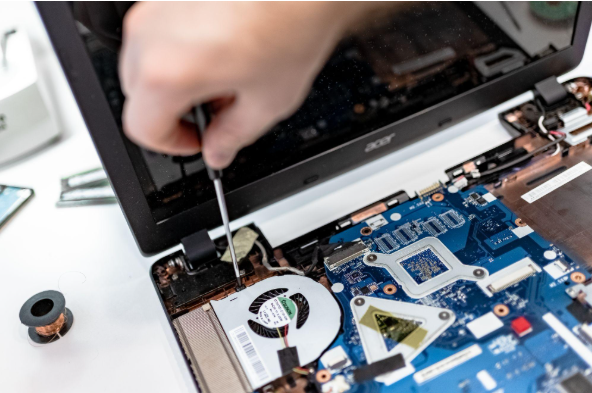
computer being repaired

How Long Business Computers Last and When to Replace Them

Summary: Three to five years is a practical replacement range for many business computers. The right time depends on security support, reliability, performance, warranty coverage, repair costs, and the employee’s work. Replace any computer that cannot run a supported operating system or the software your business requires. Most business computers do not fail all at […]

Read more
two women with laptops

Small Business IT Budget: What to Include and How to Plan It

Summary: Your IT budget should include the technology you already use, the support required to maintain it, and the upgrades you expect to make during the year. It should also cover cybersecurity, backups, employee changes, planned projects, and a reserve for urgent repairs or replacements. If your IT budget only covers computers, Microsoft 365, and […]

Read more
white wifi router

Why Guest Wi-Fi Should Be Separate From Your Business Network

Summary: Guest Wi-Fi should provide internet access while blocking connections to your internal business network. A different Wi-Fi name and password do not confirm that the networks are separated. The router, access points, and firewall must also be configured to prevent guest devices from reaching internal systems. Offering Wi-Fi to customers, contractors, and visitors is […]

Read more
lady holding phone while working on a laptop

Should Employees Use Personal Devices for Work?

Summary: Allow personal devices only for approved work, through approved apps, and when the device meets your security requirements. Use company-owned devices for administration, sensitive work, or jobs that require large amounts of data to be stored locally. Employees often use personal devices for work before the business has made a decision about it. They […]

Read more
people working on computer

Why Your Employees Shouldn’t Have Administrator Access to Their Computers

Summary: Employees should use standard accounts for email, web browsing, and everyday work. Administrator access should be limited to approved IT tasks and protected with a separate account. Administrator access often starts with one request. An employee needs to install a printer, update a specialist program, or change a setting on their computer. Giving them […]

Read more
magnifying glass near gray laptop computer

The 30-Minute IT Check Every Small Business Should Do Once a Month

Summary: Most IT problems don’t appear out of nowhere. Backups quietly stop running, updates sit unfinished for weeks, and old staff accounts stay switched on for months. A short check once a month catches these while they’re still cheap to fix. This post covers the six things to look at. Most owners only look at […]

Read more
Free Detailed view of a silver laptop showing keyboard and multiple ports. Stock Photo

The “Zombie” SaaS Audit: Finding the 3 Apps Your Former Employees Still Access

Someone leaves the company on a Friday. By Monday, their email account is disabled, and their laptop is back in the pile. What nobody checks is their login to the project management tool they signed up for in Q3, the cloud storage folder they shared with a contractor, or the CRM access they still have […]

Read more
Person using laptop photo

Stop the Bleeding: How Revoking Admin Rights Eliminates Support Tickets

The most time-consuming ticket in your queue is rarely a hardware failure. It’s the PC infection that started when a user installed something they shouldn’t have been able to. Or it’s the broken configuration left behind after someone changed a setting IT can’t trace. Local administrator rights (the ability to install software, modify system settings, […]

Read more

The “Legacy Debt” Audit: Identifying the 3 Oldest Risks in Your Server Room

The most dangerous thing in a server room is often the phrase, “Don’t touch that.” It’s usually said with a half-joke and a grimace. It refers to the old box that “still works”, runs something important, and has survived so many fixes and workarounds that nobody feels confident changing it anymore. That’s legacy debt.  Not […]

Read more
A man sitting at a table with a laptop and cell phone

The “Backup Exit” Strategy: Can You Move Your Data Without the Vendor’s Help?

When you first sign up for a software-as-a-service (SaaS) platform, everything is designed to feel effortless.  The problem is that the first real test of a SaaS relationship isn’t the onboarding. It’s the exit.  For many small businesses, the front door is wide open, but the emergency exit is bolted shut: exports are incomplete, key […]

Read more

Contact Us

Give us a call, text, or email and we will get back with you as soon as we can. We endeavor to answer all inquiries within 24 hours on business days.